# Maintenance
# Error logs
Any error that might occur during the normal operation of your washing machine gets recorded and can be accessed through a specific view called Error Logs. You can access this view by:
- pressing the General Settings icon in the bottom bar
- press the Error Logs tab
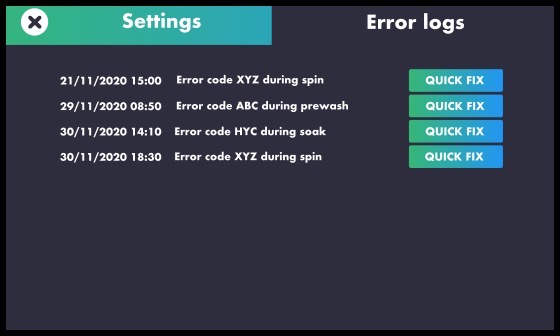
As you can see, you get a list of the errors occured, complete with date and time indication and a brief description. You can then tap on the "quick fix" button to see a suggested solution for each error. Once you tap on the "quick fix" button, a popup appears with information on the suggested solution. You can close this popup by clicking on the exit icon in the top right corner of the popup itself.
Connectivity Tip
The error logs are periodically sent over to the Smart Dashboard, on which you can benefit of a fully elaborated report, very useful for predictive maintenance as well as regular on-field maintenance.